# ts项目上的写法
# 泛型Generics
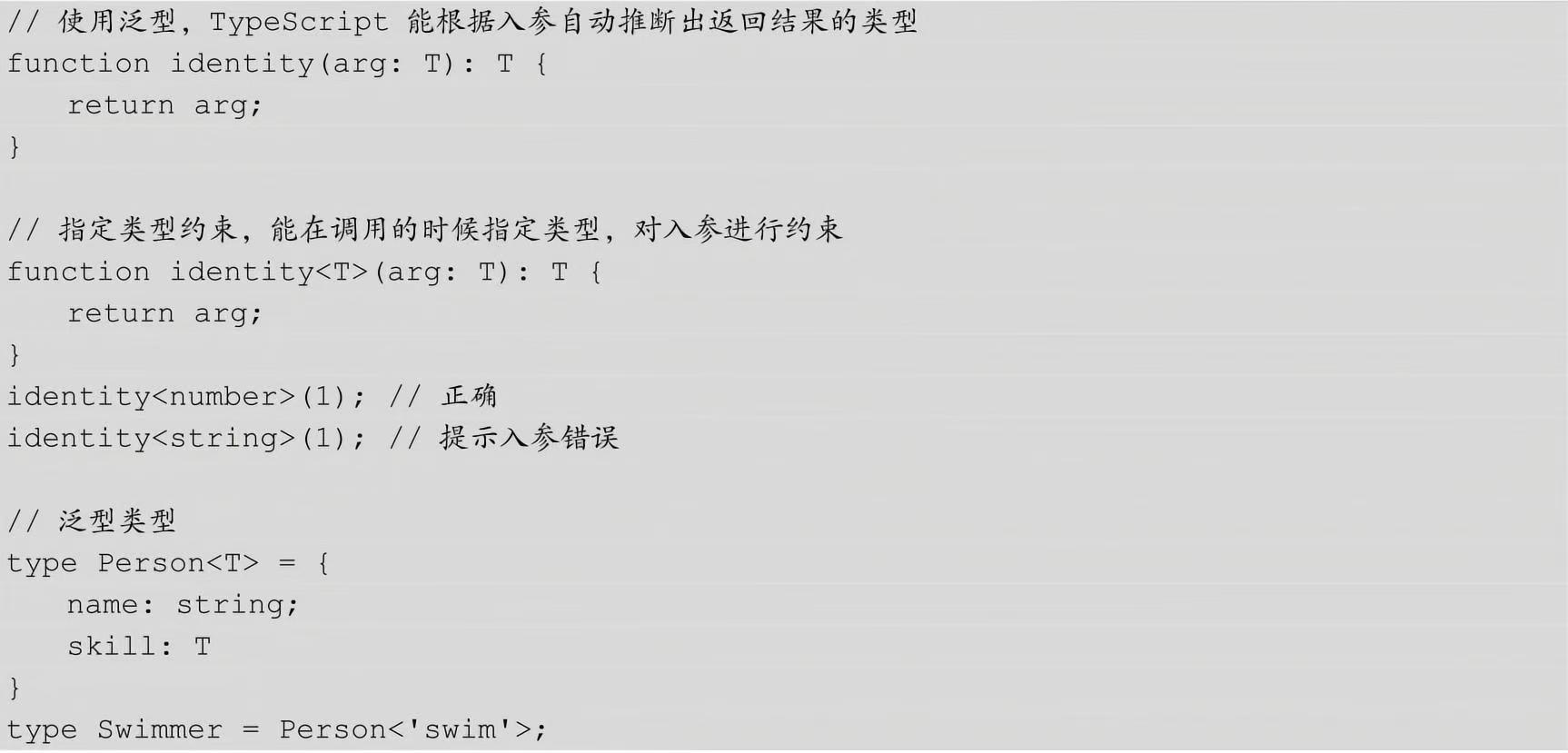
泛型就是类型的参数化, Generics是指在定义函数、接口或类的时候,不预先指定具体的类型,而在使用的时候再指定类型的一种特性。 泛型允许程序员在强类型程序设计语言中编写代码时使用一些以后才指定的类型,在实例化时作为参数指明这些类型。
需要在这里使用一种特性的变量 - 类型变量(type variable),它作用于类型,而不是值!

function sum<Type>(num: Type): Type {
  return num
}

// 1.调用方式一: 明确的传入类型
sum<number>(20)
sum<{name: string}>({name: "why"})
sum<any[]>(["abc"])

// 2.调用方式二: 类型推导
sum(50)//会被推导为sum:50(50)
sum("abc")
语法:在函数名、接口名或者类名添加后缀 <T>:
function generic<T>() {}
interface Generic<T> {}
class Generic<T> {}
比如写一个最简单的函数,这个函数会返回任何传入它的值。如果传入的是 number 类型:
function identity(arg: number): number {
    return arg
}
如果传入的是 string 类型:
function identity(arg: string): string {
    return arg
}
通过泛型,可以把两个函数统一起来:
function identity<T>(arg: T): T {
  return arg
}
需要注意的是,泛型函数的返回值类型是根据业务需求决定,并非一定要返回泛型类型 T
function identity<T>(arg: T): string {
  return String(arg)
}
- 多个类型参数
function s<T, U>(first: T, second: U): T & U {
  for(const key in second) {
    (first as T & U)[key] = second[key] as any
  }
  return first as T & U
}
- 泛型参数默认类型:函数参数可以定义默认值,泛型参数同样可以定义默认类型:
默认参数语法为 <T = 默认类型>
function min<T = number>(arr:T[]): T{
  let min = arr[0]
  arr.forEach((value)=>{
     if(value < min) {
         min = value
     }
  })
   return min
}
console.log(min([20, 6, 8n])) // 6
- 泛型类型与泛型接口
const add: (x: number, y: number) => string = function(x: number, y: number): string {
  return (x + y).toString()
}
等号左侧的 (x: number, y: number) => string 为函数类型。
function identity<T>(arg: T): T {
  return arg
}

let myIdentity: <T>(arg: T) => T = identity
等号左侧的<T>(arg: T) => T 即为泛型类型,它还有另一种带有调用签名的对象字面量书写方式:{ <T>(arg: T): T }
function identity<T>(arg: T): T {
  return arg
}

let myIdentity: { <T>(arg: T): T } = identity
泛型接口:
interface GenericIdentityFn {
  <T>(arg: T): T
}

function identity<T>(arg: T): T {
  return arg
}

let myIdentity: GenericIdentityFn = identity
let s=myIdentity(1)
console.log(s)//1
进一步,把泛型参数当作整个接口的一个参数,可以把泛型参数提前到接口名上。这样就能清楚的知道使用的具体是哪个泛型类型:
interface GenericIdentityFn<T> {
  (arg: T): T
}

function identity<T>(arg: T): T {
  return arg
}

let myIdentity: GenericIdentityFn<number> = identity

let s1=myIdentity(2)
console.log(s1)//2
interface IPerson<T1 = string, T2 = number> {
  name: T1
  age: T2
}
//泛型接口不可以省略类型让其去推导,
const p: IPerson = {
  name: "why",
  age: 18
}
- 泛型类
class Point<T> {
  x: T
  y: T
  z: T

  constructor(x: T, y: T, z: T) {
    this.x = x
    this.y = y
    this.z = y
  }
}

const p1 = new Point("1.33.2", "2.22.3", "4.22.1")//如果不声明类型可以推导
const p2 = new Point<string>("1.33.2", "2.22.3", "4.22.1")
const p3: Point<string> = new Point("1.33.2", "2.22.3", "4.22.1")
// 类名后加上 <T>
class MinClass<T> {
  public list: T[] = []
  add(num: T) {
    this.list.push(num)
  }
  min(): T {
    let minNum = this.list[0]
    for (let i = 0; i < this.list.length; i++) {
      if (minNum > this.list[i]) {
        minNum = this.list[i]
      }
    }
    return minNum
  }
}


let m = new MinClass<string>()
m.add('hello')
m.add('world')
m.add('generic')
console.log(m.min()) // generic
- 泛型约束:通过 extends 关键字来实现泛型约束。
如很明确传入的泛型参数是什么类型,或者明确想要操作的某类型的值具有什么属性,那么就需要对泛型进行约束。
interface User {
  username: string
}
// T继承了User,那么它就必定会存在username这个属性了
function info<T extends User>(user: T): string {
  return 'imooc ' + user.username
}
// 约束了入参 user 必须包含 username 属性,否则在编译阶段就会报错。
console.log(info({username:"1"}))
type Args = number | string

class MinClass<T extends Args> {}

const m = new MinClass<string>()
const m1= new MinClass<boolean>() // Error, 必须是 number | string 类型
- 多重类型泛型约束
通过 <T extends Interface1 & Interface2> 这种语法来实现多重类型的泛型约束
interface Sentence {
  title: string,
  content: string
}

interface Music {
  url: string
}

class Classic<T extends Sentence & Music> {
  private prop: T

  constructor(arg: T) {
    this.prop = arg
  }

  info() {
    console.log(this.prop) //{ title: 'title', content: 'content', url: 'http://xxx', t: 100 }

    // console.log(this.prop.t) //error
    return {
      url: this.prop.url,
      title: this.prop.title,
      content: this.prop.content,
      s:this.prop.content,
      s1:1,
      //s2:this.prop.t // Property 't' does not exist on type 'T'.
    }
  }
}
//可以传多参数t,但是在使用时会报错
let s= new Classic({title:"title",content:"content",url:"http://xxx",t:100})
console.log(s.info())
interface Feature {
	id:number;
	name:string;
}
// 定义泛型接口
interface Result<T>{
	ok:0|1,
	data:T[]
}
// 定义泛型函数
function getData<T>():Result<T>{
	const data: any[] = [
		{ id: 1, name: "类型注解", version: "2.0" },
		{ id: 2, name: "编译型语言", version: "1.0" }
	];
	return { ok: 1, data };
}

let features: Feature[];
features =getData<Feature>().data

console.log(features)
// [
//   { id: 1, name: '类型注解', version: '2.0' },
//   { id: 2, name: '编译型语言', version: '1.0' }
// ]
# InstanceType<Type>
构造一个由 Type 中构造函数的实例类型组成的类型。
class C {
  x = 0;
  y = 0;
}

type T0 = InstanceType<typeof C>;

type T0 = C
# 约束泛型与函数
有时候想操作某类型的一组值,并且知道这组值具有什么样的属性。在loggingIdentity例子中,想访问arg的length属性,但是编译器并不能证明每种类型都有length属性,所以就报错了。
function loggingIdentity<T>(arg: T): T {
    console.log(arg.length);  // Error: T doesn't have .length
    return arg;
}
相比于操作any所有类型,想要限制函数去处理任意带有.length属性的所有类型。 只要传入的类型有这个属性,就允许,就是说至少包含这一属性。 为此,需要列出对于T的约束要求。定义一个接口来描述约束条件。创建一个包含.length属性的接口,使用这个接口和extends关键字来实现约束:
interface LengthDefine {
    length: number;
}

function loggingIdentity<T extends LengthDefine>(arg: T): T {
    console.log(arg.length);

    return arg;
}
现在这个泛型函数被定义了约束,因此它不再是适用于任意类型:
loggingIdentity(3);

//运行后会遇到如下错误提示

//⨯ Unable to compile TypeScript:
//src/generics_5.ts(11,17): error TS2345: Argument of type '3' is not assignable to parameter of type 'LengthDefine'.
我们需要传入符合约束类型的值,必须包含必须的属性:
loggingIdentity({length: 10, value:3});
//运行后会得到如下结果

//$ npx ts-node src/generics_5.ts
//10
# keyof
keyof操作符,是将一个类型映射为它所有成员名称的联合类型,类似Object.keys
interface Button {
    type: string
    text: string
}

type ButtonKeys = keyof Button
// 等效于
//type ButtonKeys = "type" | "text"
- Button 的 type 类型来自于另一个类 ButtonTypes,按照之前的写法,每次 ButtonTypes 更新都需要修改 Button 类,如果使用 keyof 就不会有这个烦恼。
interface ButtonStyle {
  color: string
  background: string
}
interface ButtonTypes {
  default: ButtonStyle
  primary?: ButtonStyle
  danger?: ButtonStyle
}
// interface Button2 {
//   type: 'default' | 'primary' | 'danger'
//   text: string
// }

// 使用 keyof 后,ButtonTypes修改后,type 类型会自动修改
interface Button2 {
  type: keyof ButtonTypes
  text: string
}

let k17t2:Button2 ={
  type:'danger',
  text:'22'
}

let k17t3:ButtonTypes={
  default:{
    color:'#333',
    background:"#FFF"
  },
  danger:{
    color:'#FFF',
    background:"red"
  }
}

console.log(k17t2,k17t3)
// { type: 'danger', text: '22' }
// {
//   default: { color: '#333', background: '#FFF' },
//   danger: { color: '#FFF', background: 'red' }
// }
对一个对象类型使用 keyof 操作符,会返回该对象属性名组成的一个字符串或者数字字面量的联合。这个例子中的类型 P 就等同于 “x” | “y”:
type Point = { x: number; y: number };
type P = keyof Point;

let a:P = 'x'
console.log(a)//x
type Point = { [property:string]: number; y: number };
type P = keyof Point;

let f:Point ={
	a:1,
	y:30
}

let a:P = 'sdj'
console.log(a)//sdj
console.log(f)//{ a: 1, y: 30 }
interface Person {
  name: string;
  age: number;
  gender: string;
}
type P = keyof Person; // "name" | "age" | "gender"

/*
class Student {
  constructor(private info: Person) {}

  getInfo(key: string) {
	//如果不加上判断,可能会抛出error,在v5和v4版本测试没报错
    if (key === "name" || key === "age" || key === "gender") {
      return this.info[key];
    }
  }
}
*/

class Student {
  constructor(private info: Person) {}

  getInfo<T extends keyof Person>(key: T): Person[T] {
    return this.info[key];
  }
}

const student = new Student({
  name: 'uuuu',
  age: 20,
  gender: 'male',
})
const test = student.getInfo('name');
console.log(test)
# TS extends类型约束
这里的 extends 关键词不同于在 class 后使用 extends 的继承作用,泛型内使用的主要作用是对泛型加以约束,举个例子:
type BaseType = string | number | boolean

// 这里表示 copy 的参数
// 只能是字符串、数字、布尔这几种基础类型
function copy<T extends BaseType>(arg: T): T {
  return arg
}
function pluck<T, K extends keyof T>(o: T, names: K[]): T[K][] {
  console.log(names)
  //[ 'name' ]
  return names.map(n => o[n]);
}

interface Person {
  name: string;
  age: number;
}

let person: Person = {
  name: 'Jarid',
  age: 35
};

let strings: string[] = pluck(person, ['name']);

console.log(strings)
//[ 'Jarid' ]
let strings: string[] = pluck(person, ['name']);
这段代码,传入给pluck的应该是一个string[],那么泛型函数
function pluck<T, K extends keyof T>(o: T, names: K[]):T[K][] ;
这个签名应该被替换为,
function pluck<Person, string extends keyof Person>(o: Person, names: string[]): Person[string][];
其中
keyof Person
//等价于
//'name' | 'age'
于是对于约束:
string extends 'name' | 'age'
这是通不过静态类型检查的,但是在这里却是能够通过的。
在字符串字面量类型这里:
type MyType = 'myType';
function bar(param : MyType[]) : void {
    console.log(param);
    //param => (parameter) param: "myType"[]
}
bar(['myType']);
//bar(['myType111']);//不能将类型“"myType111"”分配给类型“"myType"”。
结果是输出了:
["myType"]
在前面的代码中TypeScript的类型约束事实上是做了这样子的工作:
keyof Person
//"name" | "age"
根据
K extends keyof Person
约束了K要么是“name”要么是“age”
假设如果两者都不是,那么静态检查将会直接报错;
现在静态检查器来检查
names : K[]
由于传入的是['name'],那么首先如果将其解释为string[]的话显然是不对的,那么进一步地,TypeScript静态检查器尝试将['name']中的'name'看成是一个字符字面量类型,然后将其解释为'name'[],即字符字面量类型数组,这样一来,泛型变量K就是'name',约束'name' extends 'name' | 'age'就顺利通过了。
进一步的,T[K]事实上就是Person['name'],而Person['name']就是string所以这个函数的返回值就是string[]。
验证:
let strings: string[] = pluck(person, ['name', 'name', 'name']);
然后测试的时候输出:
["Jarid", "Jarid", "Jarid"]
总结一下,其实理解这个问题最大的关键就是理解TypeScript的字符串字面量类型这个概念,这个概念使得TypeScript的静态检查变得相当灵活,从上面的描述可以看出'name'这个字符串使得TypeScript静态分析的时候做了一定的推断(可能推断过程和描述并非一致)。
# 文件声明 declaer
引入第三库如果第三方库不是ts写的,在ts文件中使用就可能会出现问题,需要进行处理。
declaer var jQuery :(selector:string)=>any
//可以放在一个单独的ts文件中,(如:jQuery.d.ts)如果别的ts解析不出来,还需要配置tsconfig.json
{
	"include":["**/*"]
}
也可以在npm上选择配置好的文件npm搜@types/jquery
cnpm install --save @types/jquery
自己写的话,名称为jquery.d.ts文件,这是个简易的模板
// 定义全局变量
// declare var $: (param: () => void) => void;

// 定义全局函数
interface JqueryInstance {
  html: (html: string) => {};
}

declare function $(readyFunc: () => void): void;
declare function $(selector: string): JqueryInstance;
非cdn引入而是module安装的jqeury
//jquery.d.ts
// Es6 模块化
declare module 'jquery' {
  interface JqueryInstance {
    html: (html: string) => JqueryInstance;
  }
  // 混合类型
  function $(readyFunc: () => void): void;
  function $(selector: string): JqueryInstance;
  namespace $ {
    namespace fn {
      class init {}
    }
  }
  export = $;
}
# TS类型兼容
TypeScript 类型兼容性是基于结构类型的;结构类型只使用其成员来描述类型。
TypeScript 结构化类型系统的基本规则是,如果 x 要兼容 y,那么 y 至少具有与 x 相同的属性。
interface User {
  name: string,
  year: number
}

let protagonist = {
  name: 'Sherlock·Holmes',
  year: 1854,
  address: 'Baker Street 221B'
}


// 不能将类型“{ name: string; year: number; address: string; }”分配给类型“User”。
// 对象文字可以只指定已知属性,并且“address”不在类型“User”中。
let user: User = {
  name: 'Sherlock·Holmes',
  year: 1854,
  // address: 'Baker Street 221B'
}

let user1: User = protagonist
console.log(user1)

export{user,user1}
接口 User 中的每一个属性在 protagonist 对象中都能找到对应的属性,且类型匹配。另外,可以看到 protagonist 具有一个额外的属性 address,但是赋值同样会成功。
- 比较两个函数:相对来讲,在比较原始类型和对象类型的时候是比较容易理解的,难的是如何判断两个函数是否兼容。判断两个函数是否兼容,首先要看参数是否兼容,第二个还要看返回值是否兼容。
let fn1 = (a: number, b: string) => {}
let fn2 = (c: number, d: string, e: boolean) => {}

fn2 = fn1 // OK
fn1 = fn2 // Error
//将 fn2 赋值给 fn1 不成立,是因为 fn2 中的必须参数必须在 fn1 中找到对应的参数,显然第三个布尔类型的参数在 fn1 中未找到。
- 参数类型对应即可,不需要完全相同:
let fn1 = (a: number | string, b: string) => {}
let fn2 = (c: number, d: string, e: boolean) => {}

fn2 = fn1 // OK
//fn1 的第一个参数是 number 和 string 的联合类型,可以对应 fn2 的第一个参数类型 number,所以第 4 行赋值正常。
- 函数返回值
let x = () => ({name: 'Alice'})
let y = () => ({name: 'Alice', location: 'Seattle'})

x = y // OK
y = x // Error
// 最后一行,函数 x() 缺少 location 属性,所以报错。
类型系统强制源函数的返回值类型必须是目标函数返回值类型的子类型。由此可以得出如果目标函数的返回值类型是 void,那么源函数返回值可以是任意类型:
let x : () => void
let y = () => 'imooc'

x = y // OK
- 枚举兼容性:枚举与数字类型相互兼容
enum Status {
  Pending,
  Resolved,
  Rejected
}

let current = Status.Pending
let num = 0

current = num
num = current
- 不同枚举类型之间是不兼容的:
enum Status { Pending, Resolved, Rejected }
enum Color { Red, Blue, Green }

let current = Status.Pending
current = Color.Red // Error
- 类的类型兼容性:类与对象字面量和接口的兼容性非常类似,但是类分实例部分和静态部分
比较两个类类型数据时,只有实例成员会被比较,静态成员和构造函数不会比较。
class Animal {
  feet!: number
  constructor(name: string, numFeet: number) { }
}

class Size {
  feet!: number
  constructor(numFeet: number) { }
}

let a: Animal
let s: Size

a = s!  // OK
s = a  // OK
类 Animal 和类 Size 有相同的实例成员 feat 属性,且类型相同,构造函数参数虽然不同,但构造函数不参与两个类类型比较,所以最后两行可以相互赋值。
类的私有成员和受保护成员会影响兼容性。 允许子类赋值给父类,但是不能赋值给其它有同样类型的类。
class Animal {
  protected feet!: number
  constructor(name: string, numFeet: number) { }
}

class Dog extends Animal {}

let a: Animal
let d: Dog


a = d! // OK 子类可以赋值给父类。
d = a // OK 父类之所以能够给赋值给子类,是因为子类中没有成员。

class Size {
  feet!: number
  constructor(numFeet: number) { }
}

let s: Size

a = s! // Error 因为类 Animal 中的成员 feet 是受保护的,所以不能赋值成功。
- 泛型兼容类型
interface Empty<T> {}

let x: Empty<number>
let y: Empty<string>

x = y! // OK
上面代码里,x 和 y 是兼容的,因为它们的结构使用类型参数时并没有什么不同。但是当泛型被成员使用时:
interface NotEmpty<T> {
  data: T
}
let x: NotEmpty<number>
let y: NotEmpty<string>

x = y! // Error
// 泛型参数是 number 类型,第 5 行,泛型参数是 string 类型,所以最后一行赋值失败。
# ts之装饰器
装饰器器实际上是一个函数,通过定义劫持,能够对类及其方法、属性提供额外的扩展功能。
类的装饰器
装饰器本身是一个函数
类装饰器接受的参数是构造函数
装饰器通过 @ 符号来使用
function testDecorator(flag: boolean) {
  console.log("不需要实例化都可以打印这句话")
  if (flag) {
    return function(constructor: any) {
      constructor.prototype.getName = () => {
        console.log('dell');
      };
    };
  } else {
    return function(constructor: any) {};
  }
}

@testDecorator(true)
class Test {}
//不需要实例化都可以打印这句话
function testDecorator() {
  return function<T extends new (...args: any[]) => any>(constructor: T) {
    return class extends constructor {
      name = 'lee';
      getName() {
        return this.name;
      }
    };
  };
}

const Test = testDecorator()(
  class {
    name: string;
    constructor(name: string) {
      this.name = name;
    }
  }
);

const test = new Test('dell');
console.log(test.getName());
//lee
/先执行Test自己的构造函数,然后再执行装饰器
普通方法,target 对应的是类的 prototype
静态方法,target 对应的是类的构造函数
//访问器方法装饰器
function getNameDecorator(target: any, key: string, descriptor: PropertyDescriptor) {
  // console.log(target, key);
  // descriptor.writable = true;
  descriptor.value = function() {
    return 'decorator';
  };
}

class Test {
  name: string;
  constructor(name: string) {
    this.name = name;
  }
  @getNameDecorator
  getName() {
    return this.name;
  }
}

const test = new Test('dell');
console.log(test.getName());
function visitDecorator(target: any, key: string, descriptor: PropertyDescriptor) {
  // descriptor.writable = false;
}

class Test {
  private _name: string;
  constructor(name: string) {
    this._name = name;
  }
  get name() {
    return this._name;
  }
  @visitDecorator
  set name(name: string) {
    this._name = name;
  }
}

const test = new Test('dell');
test.name = 'dell lee';
console.log(test.name);
//属性装饰器
// 修改的并不是实例上的 name, 而是原型上的 name
function nameDecorator(target: any, key: string): any {
  target[key] = 'lee';
}

// name 放在实例上
class Test {
  @nameDecorator
  name = 'Dell';
}

const test = new Test();
console.log((test as any).__proto__.name);//lee
//属性装饰器虽然没有descriptor,但是可以自己添加一个
function nameDecorator(target: any, key: string): any {
  const descriptor: PropertyDescriptor = {
    writable: true
  };
  return descriptor;
}


class Test {
  @nameDecorator
  name = 'Dell';
}

const test = new Test();
test.name = 'dell lee';
console.log(test)//Test { name: 'dell lee' }
//参数装饰器
// 原型,方法名,参数所在的位置
function paramDecorator(target: any, method: string, paramIndex: number) {
  console.log(target, method, paramIndex);
}

class Test {
  getInfo(name: string, @paramDecorator age: number) {
    console.log(name, age);
  }
}

const test = new Test();
test.getInfo('Dell', 30);
# @Component
其实,所有的export default class App extends Vue 都可以迁徙到component之中,但是这样就没有太大意义。而且@Component装饰过得vue组件会发生一些特性变化,类似react的高阶组件.不过写在装饰器和写在导出类的有些地方需要注意不一致.
# Prop
@Component({
	props:{
		msg:{
			type:String,
			default:""
		}

	}
})
/*--------------------------*/
import { Component, Vue ,Prop} from 'vue-property-decorator';
@Component
export default class App extends Vue{
	@Prop({
			type:String,
			default:""
		})
	private msg!:string;
	//!表示不需要管这个值在这个地方是否有,肯定会在某个地方传过来,不需要担心
	@Prop({
		type:String,//vue需要的是大写的类型
		default:""
	})
	private book!:string;//TS需要的是小写的类型
}
# Emit
//父级
<template>
  <div id="app">
	<Hello  @fun-t="childfun"/>
  </div>
</template>

<script lang="ts">
import { Component, Vue } from 'vue-property-decorator';
import Hello from './components/Hello.vue';

@Component({
  components: {
    Hello,
  },
})
export default class App extends Vue {
	childfun(s){
		alert(s)//1000,如果子级注释掉return则输出的是3
	}
}
</script>
//hello.vue
<template>
  <div >
	<button @click="funT(3)">TS按钮</button>
  </div>
</template>

<script lang="ts">
import { Component, Vue ,Emit} from 'vue-property-decorator';
import HelloWorld from './components/HelloWorld.vue';
@Component
export default class App extends Vue {
	@Emit()
	funT(n){
		console.log(n)
		return 1000
	}
}
</script>
使用Emit构造器注意的是如果方法是驼峰命名的,那么触发到父组件需要改成分隔符格式,要不然不会触发,同时如果没有return任何值,那么返回时会将形参作为参数给父级.
# Watch
@Watch("arr",{deep:true})
private arrchange(n,o){
	console.log(n)
	console.log(o)
}
// 类装饰器
function anotationClass(id){
    console.log('anotationClass evaluated', id);
    return (target) => console.log('anotationClass executed', id);
}
// 方法装饰器
function anotationMethods(id){
    console.log('anotationMethods evaluated', id);
    return (target, property, descriptor) => console.log('anotationMethods executed', id);
}

@anotationClass(1)
@anotationClass(2)
class Example {
    @anotationMethods(1)
    @anotationMethods(2)
    method(){}
}

// 日志应用和切面实现
console.log('日志应用和切面实现.....')
function log(target, name, descriptor) {
	console.log("9999")
    var oldValue = descriptor.value;

    descriptor.value = function () {
        console.log(`Calling "${name}" with`, arguments);
        return oldValue.apply(null, arguments);
    }
    return descriptor;
}
class Maths {
    @log
    add(a, b) {
        return a + b;
    }
}
//anotationMethods evaluated 1
//anotationMethods evaluated 2
//anotationMethods executed 2
//anotationMethods executed 1
//anotationClass evaluated 1
//anotationClass evaluated 2
//anotationClass executed 2
//anotationClass executed 1
//日志应用和切面实现.....
//9999
//上个例子的全部代码加进来
 const math = new Maths()
 math.add(2, 4)
//anotationMethods evaluated 1
//anotationMethods evaluated 2
//anotationMethods executed 2
//anotationMethods executed 1
//anotationClass evaluated 1
//anotationClass evaluated 2
//anotationClass executed 2
//anotationClass executed 1
//日志应用和切面实现.....
//9999
//Calling "add" with [Arguments] { '0': 2, '1': 4 }
console.log(target, name, descriptor)
Maths {}
'add'
{
  value: [Function: add],
  writable: true,
  enumerable: false,
  configurable: true
 }
# TS中使用vuex
npm i vuex-class -S
//store.ts
import Vue from 'vue'
import Vuex from 'vuex'

Vue.use(Vuex)

export default new Vuex.Store({
	state: {
		features: ['类型检测', '预编译']
	},
	mutations: {
		addFeatureMutation(state: any, featureName: string){
			state.features.push( featureName)
		}
	},
	actions: {
		addFeatureAction({commit}, featureName: string) {
			commit('addFeatureMutation', featureName)
		}
	}
})
<template>
  <div >
	<div v-for="item in features" :key="item">{{item}}</div>
	<div>
		<input type="text" placeholder="输入新特性" @keyup.enter="addFeature">
		</div>
  </div>
</template>

<script lang="ts">
import { Component, Vue ,Prop,Emit,Watch} from 'vue-property-decorator';
import { State, Action, Mutation } from "vuex-class";
@Component
export default class App extends Vue {
	@Emit()
	private funT(n:any){
		this.arr.push("45")
		console.log(n)
		return 1000
	}
	@State features!: string[];
	@Action addFeatureAction;
	@Mutation addFeatureMutation;
	private addFeature(event) {
		console.log(event);
		// this.features.push(event.target.value);
		this.addFeatureAction(event.target.value);
		// this.addFeaturMutation(event.target.value);
		event.target.value = "";
	}


}
</script>
function log(target: Function) {
// target是构造函数
console.log(target === Foo); // true
target.prototype.log = function() {
console.log(this.bar);
}
// 如果类装饰器器返回一个值,它会使用提供的构造函数来替换类的声明。
}
// 方法装饰器器
function dong(target: any, name: string, descriptor: any) {
// target是原型或构造函数,name是方法名,descriptor是属性描述符,
// 方法的定义方式:Object.defineProperty(target, name, descriptor)
console.log(target[name] === descriptor.value);
// 这里通过修改descriptor.value扩展了bar方法
const baz = descriptor.value; // 之前的⽅方法
descriptor.value = function(val: string) {
console.log('dong~~');
baz.call(this, val);
}
return descriptor;
}


function mua(target, name) {
// target是原型或构造函数,name是属性名
console.log(target === Foo.prototype);
target[name] = 'mua~~~'
}
@log
class Foo {
bar = 'bar'
@mua ns!:string;
@dong
baz(val: string) {
this.bar = val
}
}
const foo2 = new Foo();
// @ts-ignore
foo2.log();
console.log(foo2.ns);
foo2.baz('lalala')
//true
//true
//true
//bar
//mua~~~
//dong~~